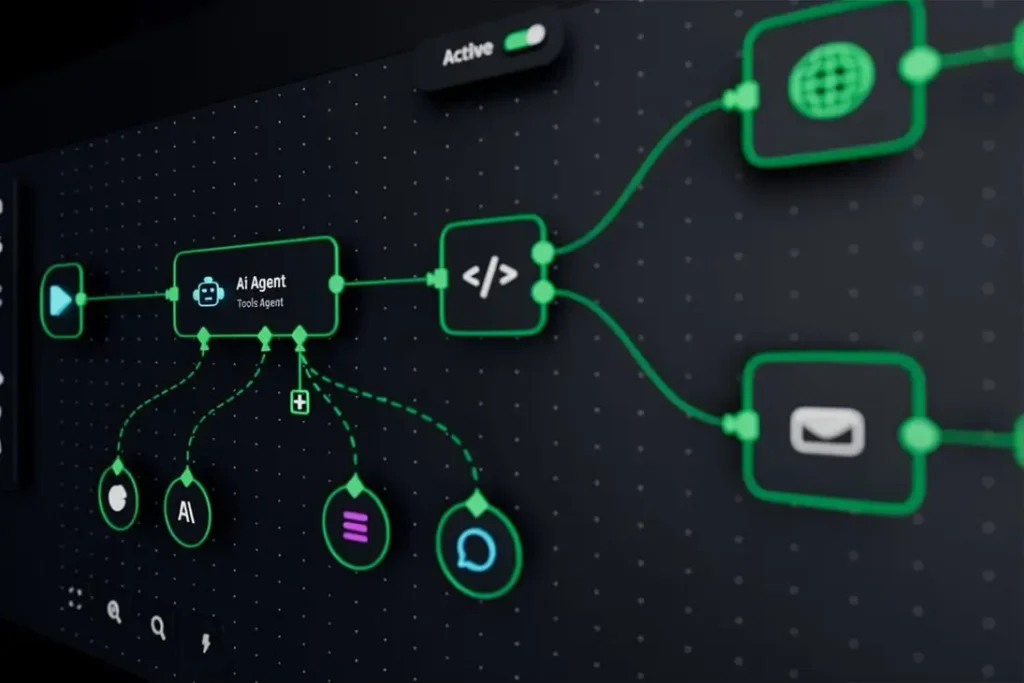

Dealing with an n8n webhook not triggering issue right when an external app sends live customer or payment data breaks your entire automation pipeline immediately. Your third-party service fires a POST request and receives a 404 error while your workflow canvas stays completely blank.
Automation builders usually run into this problem because n8n separates temporary test listeners from active production endpoints or misses a reverse proxy header on self-hosted servers. Below is why your incoming requests fail to land and the first three fixes to run right now.
Fast Diagnostic Rule: If an n8n webhook not triggering error returns a 404 Webhook is not registered message your workflow is either still toggled off or you pasted the temporary /webhook-test/ URL into a live external app.
7 Common Solutions for n8n Webhook Not Triggering
1. Switch From Test URL to Production Webhook URL
Every n8n Webhook node generates two distinct links inside its settings panel. The Test URL only listens for two minutes after you click Execute Workflow inside the editor while the Production URL stays active permanently once your flow goes live.
Open your Webhook node click the Production URL tab copy that clean path without -test in the middle and paste it into your external app settings.
2. Activate the Workflow Toggle in n8n
Pasting the right production endpoint still results in an n8n webhook not triggering error if the workflow itself remains inactive. Check the top right corner of your editor canvas and switch the status toggle from Inactive to Active so n8n registers the route listener on startup.
Review the official n8n Webhook node documentation to confirm how production listener registration behaves across cloud and self-hosted setups.
3. Match the Exact HTTP Method
By default n8n sets new webhook nodes to listen for GET requests while most modern SaaS apps send event payloads via POST. Open your Webhook node parameters switch the HTTP Method dropdown to match your sender and save the workflow.
Serverless functions experience similar silent drops when inbound webhook payloads stall or time out mid-flight. You can see how backend handlers manage incoming events in our guide on fixing Supabase Edge Function timeout errors to keep event pipelines responsive.
4. Set the WEBHOOK_URL Variable on Self-Hosted Instances
Self-hosted Docker deployments frequently display http://localhost:5678/webhook/… inside the node panel instead of your real domain. External services cannot reach localhost over the internet which leads directly to an n8n webhook not triggering failure.

Add your exact public HTTPS domain to your Docker Compose environment variables and restart the container so n8n advertises the proper callback endpoint:
environment:
– N8N_HOST=://yourdomain.com
– N8N_PROTOCOL=https
– WEBHOOK_URL=https://://yourdomain.com/
After updating those variables re-open your Webhook node to confirm the generated URL now starts with your live HTTPS domain name.
Self-hosted automation environments often face similar callback and redirect mismatches during OAuth or API handshakes. Developers running local AI coding workflows can see how external callback URLs behave in our guide on fixing Claude Code OAuth login loop redirects when local listeners fail.
5. Fix Reverse Proxy and SSL Forwarding Headers
Running n8n behind Nginx Caddy or Cloudflare Tunnel requires forwarding exact protocol and WebSocket headers. If your reverse proxy strips X-Forwarded-Proto or blocks external POST payloads your server drops incoming traffic before it ever reaches the n8n container.
Automated security filters and bot protection rules frequently block legitimate server-to-server requests when thresholds are too strict. Store owners and engineering teams can review how automated traffic filtering works in our guide on mitigating automated bot traffic safely without blocking valid API integrations.
6. Check Webhook Authentication and Payload Headers
If your Webhook node uses Basic Auth or Header Auth a single mismatched token causes an n8n webhook not triggering error with a 403 Forbidden response. Verify that your sending app passes the exact header key and secret configured inside your node credentials.
Some third-party platforms also send custom Content-Type headers that n8n rejects unless raw body parsing is enabled. Open the node Options menu add Raw Body and run one live test request to confirm payload acceptance.
7. Inspect Execution Logs and Queue Worker Limits
When your workflow is active and URLs match yet events still vanish check your global execution history on the left sidebar. Self-hosted instances running in queue mode occasionally stall if Redis workers crash or hit memory limits under sudden traffic bursts.
Review the official n8n endpoints environment variables guide to verify worker and webhook processor settings. Teams scaling multi-step automation pipelines can also check our open source agentic AI frameworks guide to compare workflow orchestration options.
Conclusion
Fixing an n8n webhook not triggering error comes down to switching from the temporary test link to your active production URL matching the HTTP method and setting your public WEBHOOK_URL variable. Verifying reverse proxy headers and execution logs ensures external events trigger your workflows reliably every time.
Frequently Asked Questions
Why does my n8n webhook work in test mode but fail in production?
The Test URL only listens while you manually click Execute Workflow inside the editor. You must copy the separate Production URL and switch the workflow toggle to Active for live external requests.
How do I fix n8n webhook not triggering on a self-hosted Docker server?
Set the WEBHOOK_URL environment variable to your public HTTPS domain inside your Docker Compose file and restart n8n so it stops generating localhost URLs.
What causes a 404 Webhook is not registered error in n8n?
This error appears when the workflow is inactive when you send a GET request to a POST-only webhook or when the test listener window expires.
Can Cloudflare block incoming n8n webhook requests?
Yes. Cloudflare Bot Fight Mode or strict WAF rules can block automated POST requests from third-party apps unless you create a firewall rule allowing your webhook path.